


How Do You Know Your Phone Is Charging Slowly?
Before trying any fixes, it’s helpful to confirm whether your phone is actually charging slower than normal. Here are some common signs to look for:
- Your phone takes more than 2 to 3 hours to fully charge.
- The battery percentage increases very slowly.
- Fast Charging no longer appears on the screen.
- The phone becomes unusually warm while charging.
- The battery drains almost as quickly as it charges.
- Charging starts and stops repeatedly without touching the cable.
If you’re experiencing one or more of these signs, the issue is likely related to your charger, charging cable, charging port, battery health, or software settings. The next section explains each possible cause and how to fix it.
12 Common Reasons Your Phone Is Charging Slowly (And How to Fix Each One)
Slow charging doesn’t always mean your phone has a serious hardware problem. In many cases, the issue is caused by something simple, such as a damaged charging cable, a dirty charging port, or apps using too much power in the background. Before replacing your phone or battery, check these common causes one by one.
1. Your Charging Cable Is Damaged

How to Identify This Problem
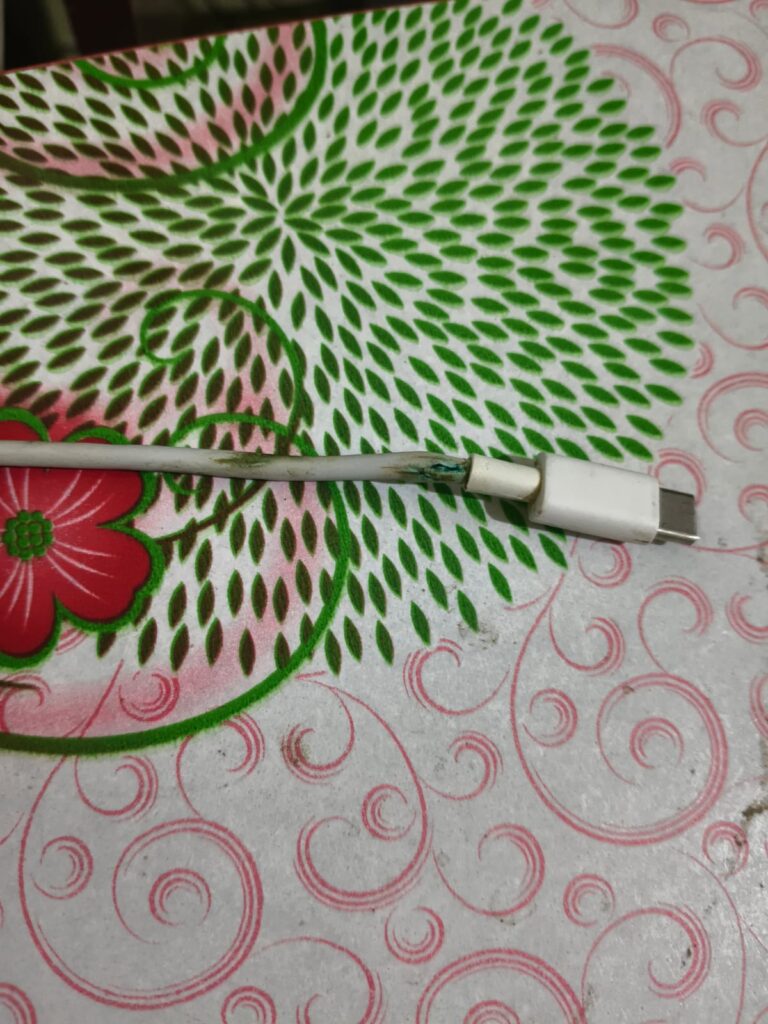
You may have a damaged charging cable if:
- Your phone charges only at a certain angle.
- Charging starts and stops when you move the cable.
- Charging is much slower than before.
- The cable feels loose or has visible cuts or bends.
How to Fix It?
- Try another original or certified charging cable.
- Avoid using very cheap replacement cables.
- If the cable is damaged, replace it immediately.
- For the best charging speed, use the cable that came with your phone whenever possible.
Tip: Even a new cable may charge slowly if it doesn’t support your phone’s fast charging standard.
2. You’re Using a Low-Power or Faulty Charger
Not all chargers deliver the same amount of power. If you’re using an older charger or one with a lower wattage than your phone requires, charging can take much longer. A faulty charger may also fail to provide stable power, leading to slow or inconsistent charging.
How to Identify This Problem?
You may notice:
- Your phone charges normally with another charger.
- Fast charging no longer appears on the screen.
- Charging speed changes when you switch adapters.
- The charger becomes unusually hot during use.
How to Fix It?
- Use the original charger that came with your phone.
- If the original charger is unavailable, choose a trusted charger that supports your phone’s recommended charging wattage.
- Avoid low-quality or unbranded chargers, as they may charge slowly and could affect long-term battery performance.
3. Your Charging Port Is Dirty
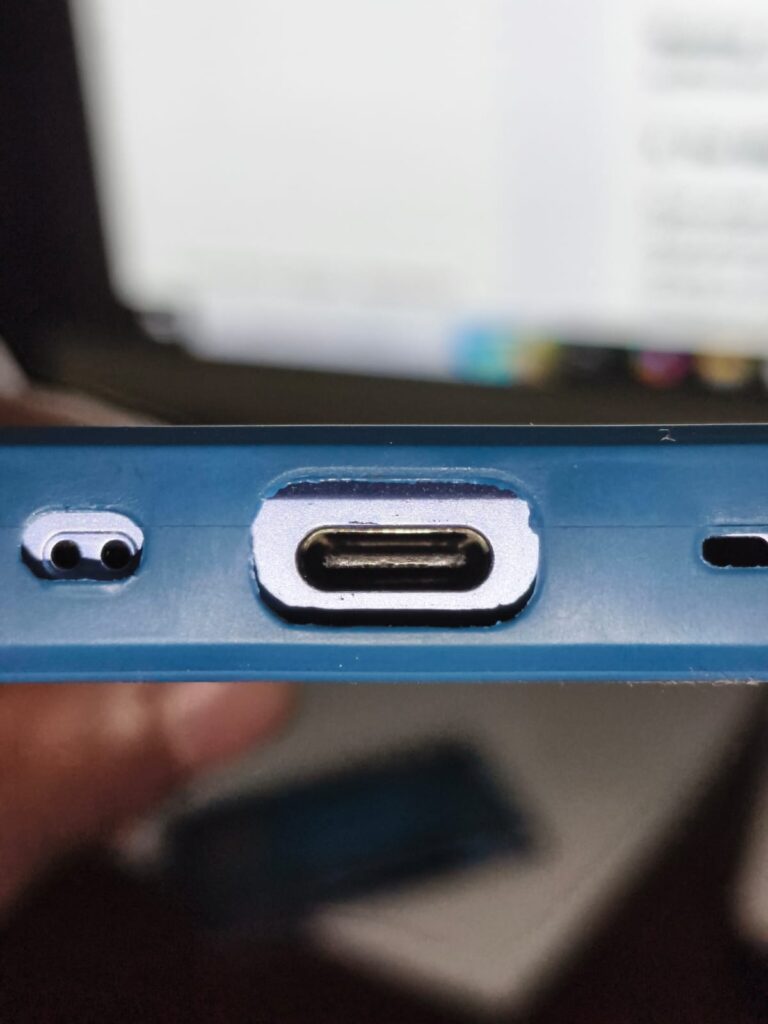
Dust, lint, and pocket debris can collect inside your phone’s charging port over time. Even a small amount of dirt can prevent the charging cable from making proper contact, resulting in slow charging or an unstable connection.
Signs of a Dirty Charging Port:
- The charging cable doesn’t fit securely.
- Charging disconnects when the cable moves.
- You need to adjust the cable to start charging.
- The phone charges slowly, even with a new charger and cable.
How to Fix It Safely? :
- Turn off your phone before cleaning.
- Use a flashlight to inspect the charging port.
- Carefully remove dust using a soft, non-metallic tool or a burst of compressed air.
- Avoid inserting sharp metal objects into the charging port, as they can damage the connectors.
Warning: If the charging port appears bent, broken, or damaged, it’s best to have it inspected by an authorized service center.
4. Too Many Apps Are Running in the Background:
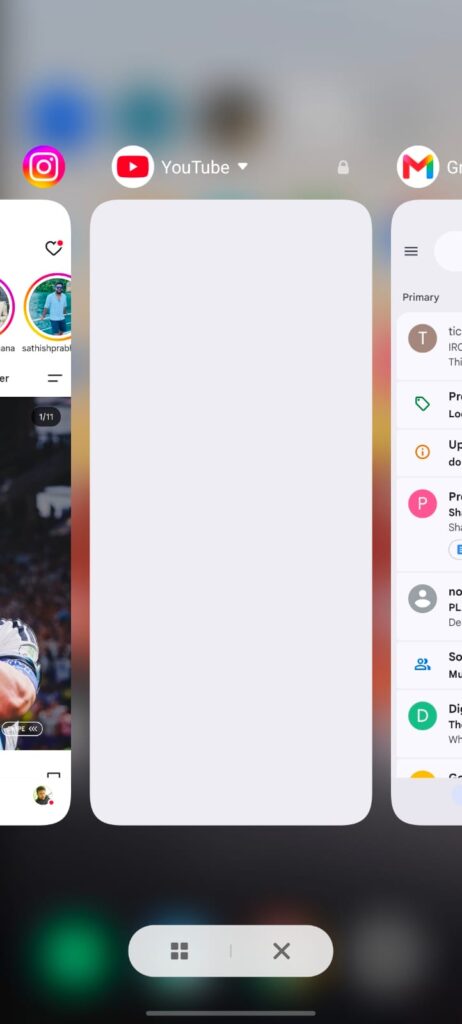

Even when you’re not actively using them, some apps continue running in the background. They use your phone’s processor, internet connection, and battery power. If several apps are active while your phone is charging, the battery may gain power much more slowly because energy is being used and charged at the same time.
How to Identify This Problem? :
You may notice:
- Your battery percentage increases very slowly while using the phone.
- The phone feels warm during charging.
- Battery usage shows certain apps consuming a lot of power in the background.
- Charging becomes faster after closing unnecessary apps.
How to Fix It? :
- Close apps you’re not using before charging.
- Limit background activity for apps that consume excessive battery.
- Restart your phone if many apps have been running for a long time.
- For the fastest charging speed, avoid gaming or streaming videos while your phone is plugged in.
Tip: Charging your phone while the screen is off usually helps it charge faster.
5. Your Phone Is Overheating:
Modern smartphones automatically reduce charging speed when they become too hot. This safety feature helps protect the battery from damage. If your phone feels unusually warm while charging, overheating could be the reason it’s charging slowly.
Common Causes of Overheating:
- Playing games while charging.
- Using the camera for long periods.
- Charging in direct sunlight.
- Using a thick phone case that traps heat.
- Running multiple heavy apps at the same time.
How to Fix It? :
- Move your phone to a cooler place.
- Remove the phone case if it traps heat.
- Avoid using your phone while it’s charging.
- Close heavy apps before connecting the charger.
- Let the phone cool down before charging if it’s already hot.
Important: It’s normal for a phone to feel slightly warm while charging. However, if it becomes too hot to hold comfortably, disconnect the charger and allow the device to cool before charging again.
6. Fast Charging Is Not Working:
If your phone normally supports fast charging but suddenly starts charging much more slowly, the fast charging feature may not be working correctly. This can happen because of an incompatible charger, a damaged cable, software settings, or overheating.
How to Identify This Problem? :
Look for these signs:
- The Fast Charging or Super Fast Charging message no longer appears.
- Your phone takes much longer to reach a full charge.
- Charging speed improves when you use a different charger or cable.
- The issue started after changing your charging accessories.
How to Fix It? :
- Make sure you’re using a charger and cable that support your phone’s fast charging standard.
- Check your phone’s battery settings to ensure fast charging is enabled, if your device provides that option.
- Restart your phone and install any available software updates.
- If the phone is overheating, let it cool before charging again.
Note: Different phone brands use different fast charging technologies. To get the best charging speed, use accessories that are compatible with your specific device.
Quick Checklist:
- ✔ Use the original charger and cable.
- ✔ Avoid using your phone while charging.
- ✔ Keep the charging port clean.
- ✔ Charge your phone in a cool environment.
- ✔ Check if fast charging is enabled.
7. Your Phone’s Battery Health Has Decreased:
Like all rechargeable batteries, smartphone batteries lose their capacity over time. After hundreds of charging cycles, an older battery may not accept power as efficiently as it did when it was new. As a result, your phone may charge more slowly, and the battery may drain faster.
How to Identify This Problem? :
You may notice:
- Your phone charges slowly, even with the original charger.
- The battery drains much faster than before.
- The phone shuts down unexpectedly at low battery percentages.
- The device is more than two or three years old and has been charged daily.
How to Fix It? :
- Check your phone’s battery health, if your device provides this information.
- Install the latest software updates, as they may improve battery performance.
- If the battery has significantly degraded, consider replacing it through an authorized service center.
Tip: A healthy battery not only charges more efficiently but also provides longer screen-on time.
8. A Software Bug Is Affecting Charging Performance:
Sometimes, slow charging isn’t caused by the charger or battery. A software bug, an unfinished system update, or an app conflict can affect how your phone manages charging.
Signs of a Software-Related Issue:
- Slow charging started after a software update.
- Charging speed changes after restarting the phone.
- The issue appeared without changing the charger or cable.
- The phone behaves unusually in other areas, such as random freezes or app crashes.
How to Fix It ? :
- Restart your phone.
- Install any available software updates.
- Update your apps through the Play Store.
- If the issue started after installing a new app, uninstall it and check whether charging improves.
Tip: Keeping your phone updated helps fix known software bugs that may affect charging performance.
9. You’re Using Your Phone While It’s Charging:
Using your phone while it’s charging can slow down the charging process because the battery is being charged and drained at the same time. Activities like gaming, video streaming, or video calls consume a lot of power, making it harder for the battery percentage to increase quickly.
How to Identify This Problem ?:
You may notice:
- Charging is much slower while watching videos or playing games.
- The phone becomes warm during charging.
- Battery percentage barely increases even after several minutes.
How to Fix It ?:
- Let your phone charge without using it whenever possible.
- Turn off the screen or enable Airplane Mode if you need the fastest charging speed.
- Avoid playing graphics-intensive games while charging.
Tip: Even leaving the screen on continuously can slightly reduce charging speed.
10. You’re Using Low-Quality Charging Accessories
Not all charging accessories meet the same quality standards. Low-quality or counterfeit chargers and cables may not deliver stable power, leading to slower charging and, in some cases, safety risks.
Signs of Poor-Quality Accessories
- Charging speed changes frequently.
- The charger becomes unusually hot.
- The charging cable feels loose or poorly made.
- Your phone charges normally with another charger.
How to Fix It?
- Use the original charger whenever possible.
- If you need a replacement, choose a certified charger and cable from a trusted brand.
- Replace damaged or worn-out accessories immediately.
Warning: Extremely cheap charging accessories may not only slow charging but could also damage your phone over time.
11. Moisture or Physical Damage in the Charging Port
If moisture enters the charging port or the port becomes physically damaged, your phone may reduce or stop charging to protect its internal components. Many modern smartphones automatically detect moisture and temporarily disable charging until the port is dry.
How to Identify This Problem?
You may notice:
- A moisture warning appears on the screen.
- Charging starts and stops repeatedly.
- The charging cable doesn’t fit securely.
- The charging port looks bent or damaged.
How to Fix It?
- Disconnect the charger immediately if a moisture warning appears.
- Allow the charging port to dry naturally before charging again.
- Do not use sharp objects to remove debris from the port.
- If the port is physically damaged, visit an authorized service center for inspection.
Important: Never force the charging cable into a damaged charging port, as this can make the problem worse.
12. Your Phone’s Battery May Need Replacement
If you’ve tried different chargers, cables, and troubleshooting steps but your phone still charges very slowly, the battery itself may have reached the end of its lifespan. Lithium-ion batteries naturally wear out after years of regular use.
Signs That the Battery May Need Replacement
- The battery drains very quickly after a full charge.
- Charging remains slow with multiple chargers and cables.
- The phone unexpectedly shuts down even when battery percentage is high.
- The battery appears swollen or the back cover starts lifting.
How to Fix It?
- Back up your important data before getting the battery replaced.
- Visit an authorized service center for a battery health check.
- Replace the battery only with a genuine replacement recommended for your phone model.
Safety Warning: If you notice a swollen battery, stop using the phone immediately and have it inspected by a qualified technician. Do not continue charging a device with a swollen battery.
How to Make Your Phone Charge Faster
If your phone is charging slowly, these simple tips can help improve charging speed and reduce the time it takes to reach a full battery.
1. Use the Original Charger and Cable
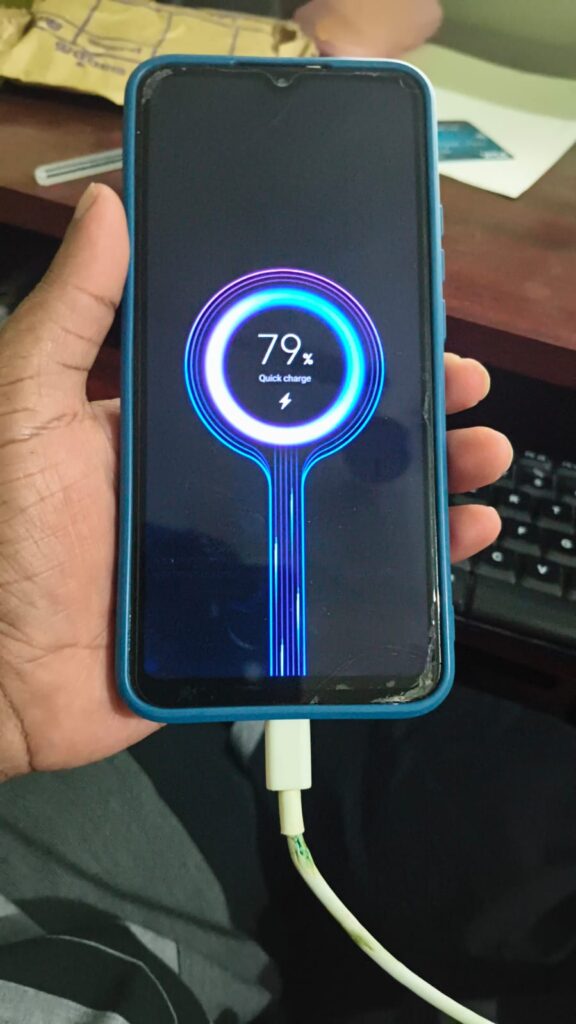

The charger and cable that came with your phone are designed to provide the correct charging speed. If you’ve replaced them, make sure the new accessories support your phone’s charging technology and power requirements.
2. Turn On Airplane Mode
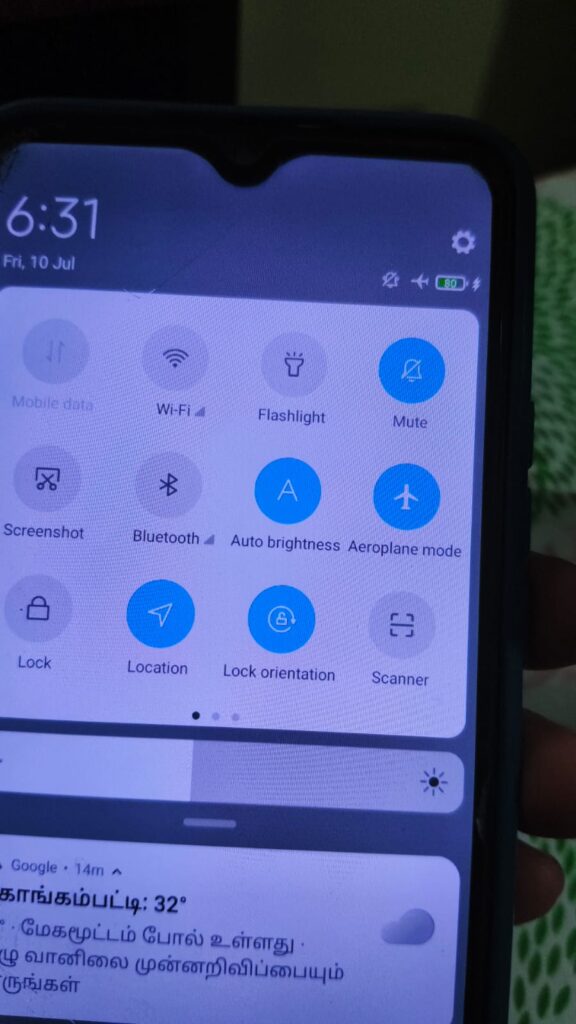
Airplane Mode disables mobile data, Wi-Fi, Bluetooth, and other wireless connections. Since your phone uses less power, more energy goes directly into charging the battery.
3. Avoid Using Your Phone While Charging
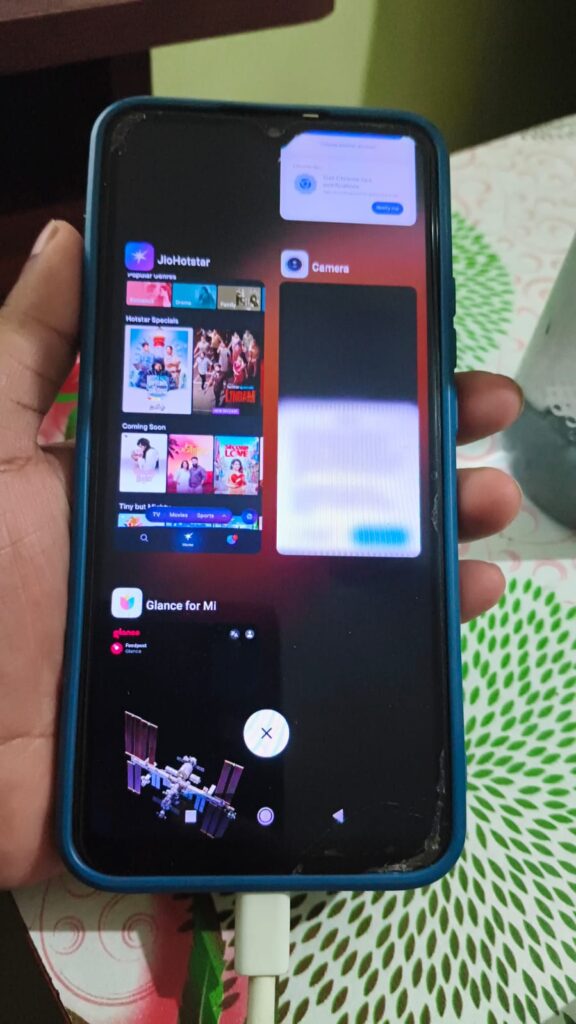
Watching videos, scrolling through social media, or playing games while charging increases power consumption. For the fastest charging speed, leave your phone unused until it reaches a comfortable battery level.
4. Charge Your Phone in a Cool Place
High temperatures can slow down charging because your phone automatically protects the battery from overheating. Keep your phone away from direct sunlight and avoid charging it in hot environments.
5. Keep the Charging Port Clean
Dust and lint inside the charging port can interfere with the connection between the cable and your phone. Cleaning the port carefully from time to time helps maintain reliable charging performance.
6. Close Unnecessary Background Apps
Apps running in the background continue using power even while your phone is charging. Closing unnecessary apps can slightly improve charging efficiency.
7. Keep Your Phone Updated
Software updates often include battery optimization and bug fixes that may improve charging performance. Check for updates regularly to ensure your device is running the latest version.
8. Replace Worn-Out Charging Accessories
If your charging cable or adapter is old or damaged, replacing it with a quality alternative can make a noticeable difference in charging speed.
When Should You Visit a Service Center?
Most slow charging problems can be fixed at home, but some situations require professional inspection.
Consider visiting an authorized service center if:
- Your phone does not charge at all.
- Charging only works when you hold the cable in a certain position.
- The charging port is loose, bent, or physically damaged.
- Your phone displays moisture warnings even after the charging port is completely dry.
- The battery is swollen, or the back panel is lifting.
- You’ve tried different chargers and cables, but the problem still continues.
Ignoring these signs may lead to further damage, so it’s best to have your phone checked as soon as possible.
Frequently Asked Questions (FAQs)
Why is my phone charging slowly, even with the original charger?
This could be caused by a dirty charging port, battery degradation, overheating, background apps, or a software issue. Checking each of these factors can help identify the exact cause.
Can a damaged charging cable cause slow charging?
Yes. A damaged or low-quality charging cable may not deliver enough power to your phone, resulting in slower charging speeds.
Does using my phone while charging slow it down?
Yes. Activities such as gaming, streaming videos, and video calling consume battery power while the phone is charging, making the charging process take longer.
Is it safe to use a third-party charger?
Yes, provided it’s from a trusted manufacturer and supports your phone’s required charging standard. Avoid using counterfeit or extremely cheap chargers.
Can overheating affect charging speed?
Yes. Most modern smartphones automatically reduce charging speed when the battery becomes too hot to help protect it from damage.
How long should it normally take to fully charge a phone?
Charging time depends on your phone model, battery capacity, and charger wattage. Many modern smartphones can charge in about 45 minutes to 2 hours, while older devices or lower-watt chargers may take longer.
Conclusion
If you’ve been asking, “Why is my phone charging slowly?”, the good news is that the problem is often easier to fix than you might think. In most cases, slow charging is caused by a damaged charging cable, a low-power charger, a dirty charging port, overheating, or background apps consuming battery power.
Start by checking the simple things first—your charger, cable, and charging port. Then review your phone’s settings, software updates, and battery health. If you’ve tried all the recommended fixes and your phone still charges slowly, it’s a good idea to visit an authorized service center for a professional inspection.
With the right charging habits and quality accessories, you can improve charging speed, protect your battery, and keep your phone performing at its best.